About Searchira
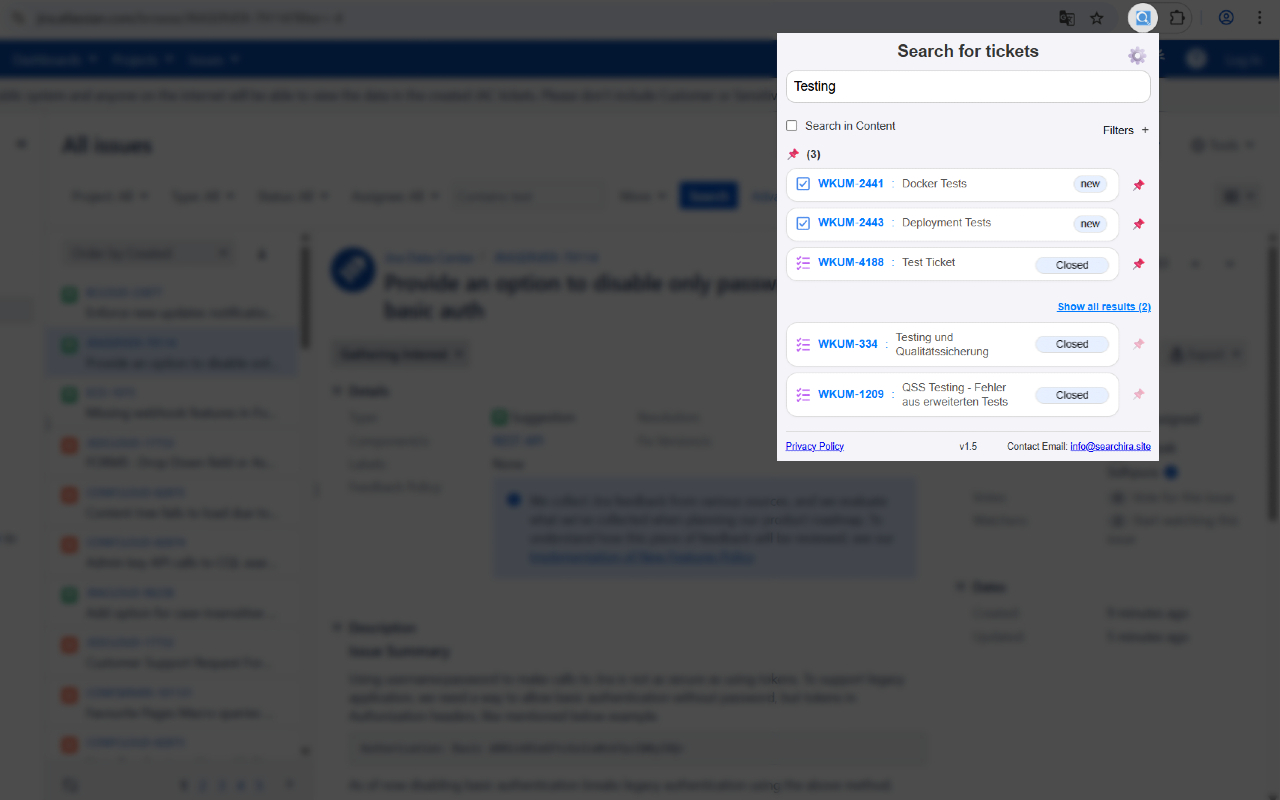
Searchira is a user-friendly browser extension that helps you search Jira tickets directly from your browser. Find issues by key, title, or content, open them instantly in Jira, pin important tickets for quick access, continue with your last search, and speed up your workflow with copy actions, smart filters, flexible sorting, and direct Jira page pinning.
Features:
- Lightning-fast search: Find Jira tickets instantly using issue keys or keywords.
- Deep content search: Search not only ticket titles but also ticket content and descriptions.
- Persistent search: Your last search stays in the popup, even after closing and reopening it.
- Smart, dynamic filters: Filter results by project, relevance, status, issue type, and priority.
- Flexible sorting: Sort results by relevance, creation date, priority, or last update.
- Open in Jira: Click any result to open the issue directly in Jira.
- Pinned tickets: Save important tickets for quick access in a dedicated pinned section.
- Direct Jira page pinning: Pin or unpin the current Jira ticket directly on the issue page with a compact inline button.
- Optional Jira page control: Show or hide the Jira page pin/unpin button in Searchira settings.
- Drag-and-drop reordering: Organize pinned tickets in the order that fits your workflow best.
- Copy ticket details: Copy ticket ID and title with one click.
- Multi-language UI: Supports multiple languages with fully localized pin/unpin states.
- Clean, intuitive interface: Searchira is designed for fast and simple everyday Jira use.